
FaceBook News Feed Filter – Replacement for Fluff Buster Purity (FBP)
Replacement for the Fluff Busting (FB) Purity extension, which appears to be no longer supported – last update was Jan 15 2026.
Firefox Beta
Chrome Beta
For Firefox – Min v 109
For Chrome/Vivaldi/Edge
Installation
For Firefox select Extensions from the drop down Settings menu or use ‘Ctrl Shift+A
Click the icon to the right of Manage Extensions, and select ‘Install add-on from File’
Navigate to where you downloaded the signed .xpi file and select.
Or simply double click on the .xpi file and select Firefox to open it.
For Chrome, you first need to enable Developer mode
Open the browser menu by clicking the three dots in the top right corner.
Go to Extensions and select Manage Extensions (or type chrome://extensions in the address bar).
Look at the top right corner of the extensions page to find the Developer mode toggle.
Click the toggle to turn it on (it will switch colour or show as enabled)
Navigate to where you downloaded the zip file.
To load a Zip file in developer mode on Chrome, you must first extract the Zip archive into the unpack the zip to a folder where it will reside, and select the unpacked folder. You cannot directly upload a raw Zip file using the “Load unpacked” button and. The folder and unpacked files must remain in that folder for the extension to keep working.
This extension has been tested on Win 10/11, Ubuntu and Mac. Chrome browsers – Chrome/Vivaldi/Edge. Firefox v109 and up. Reported to work with Waterfox
Once beta testing has been completed, the extension will be listed on Chrome & Mozilla store – Free
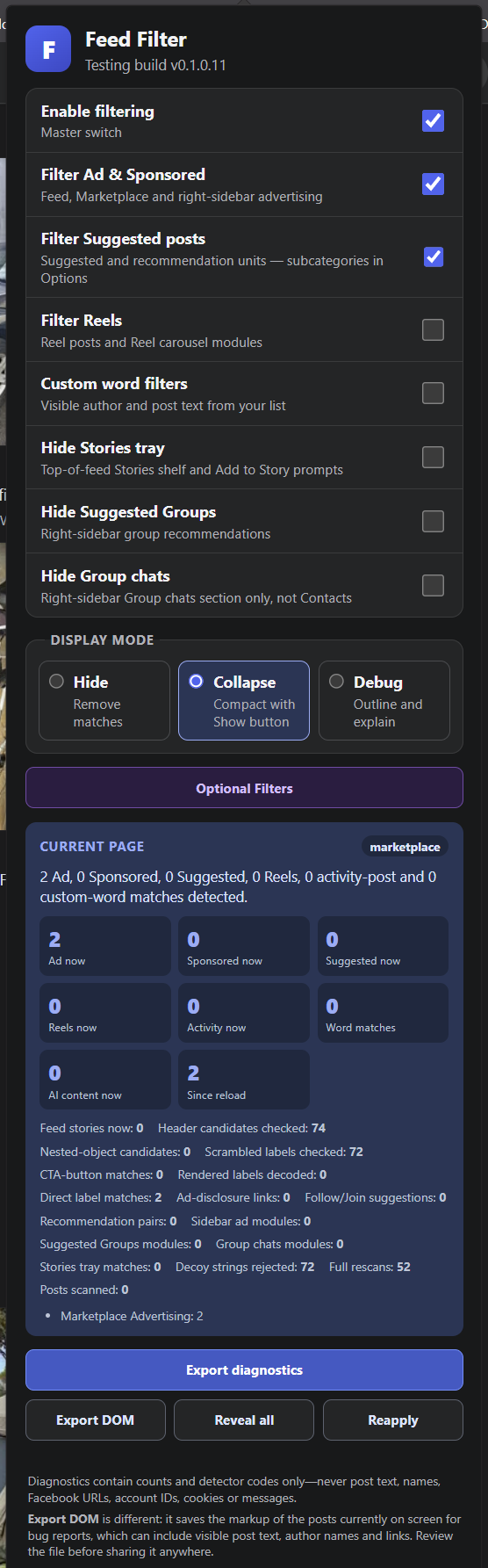
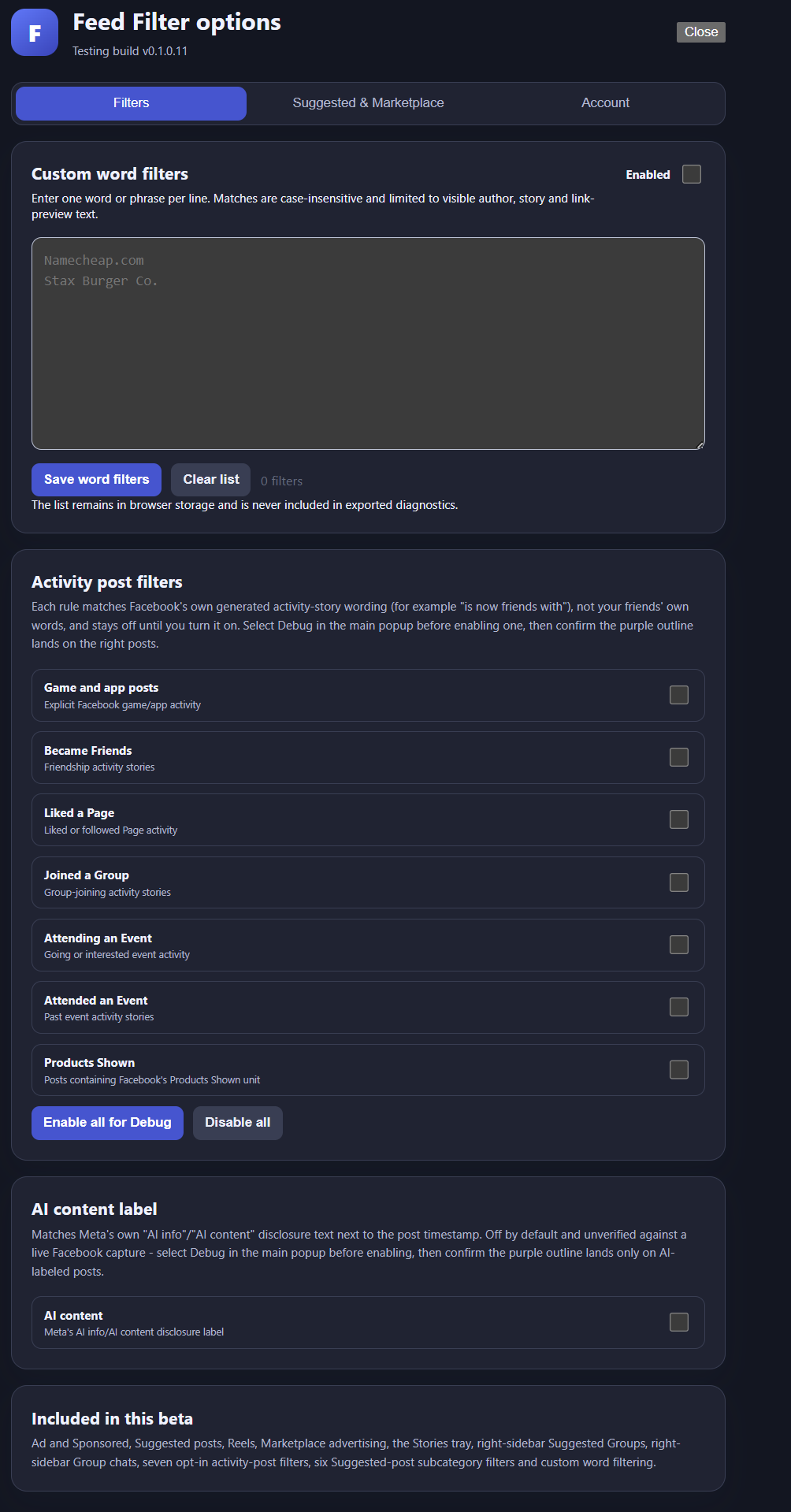
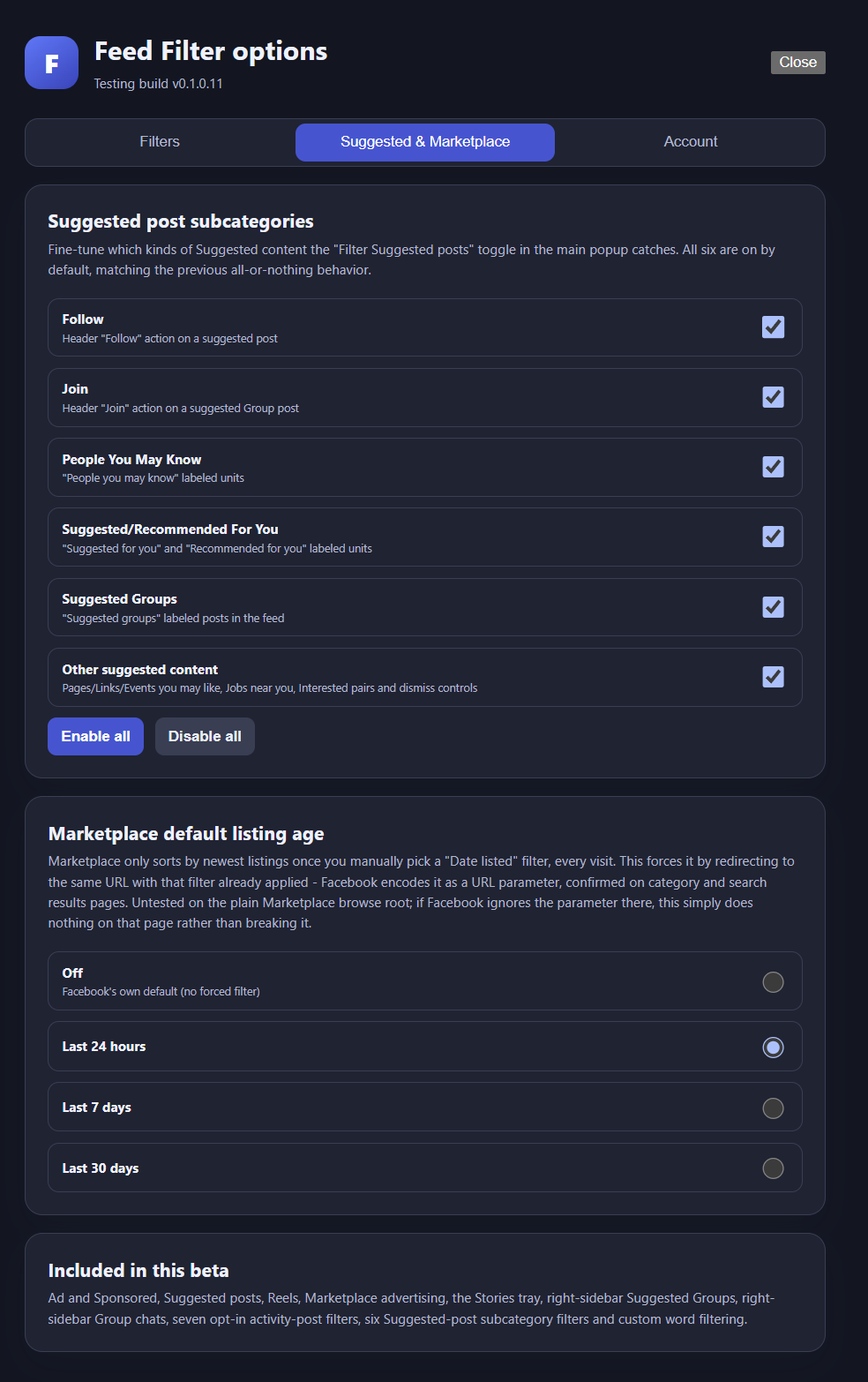
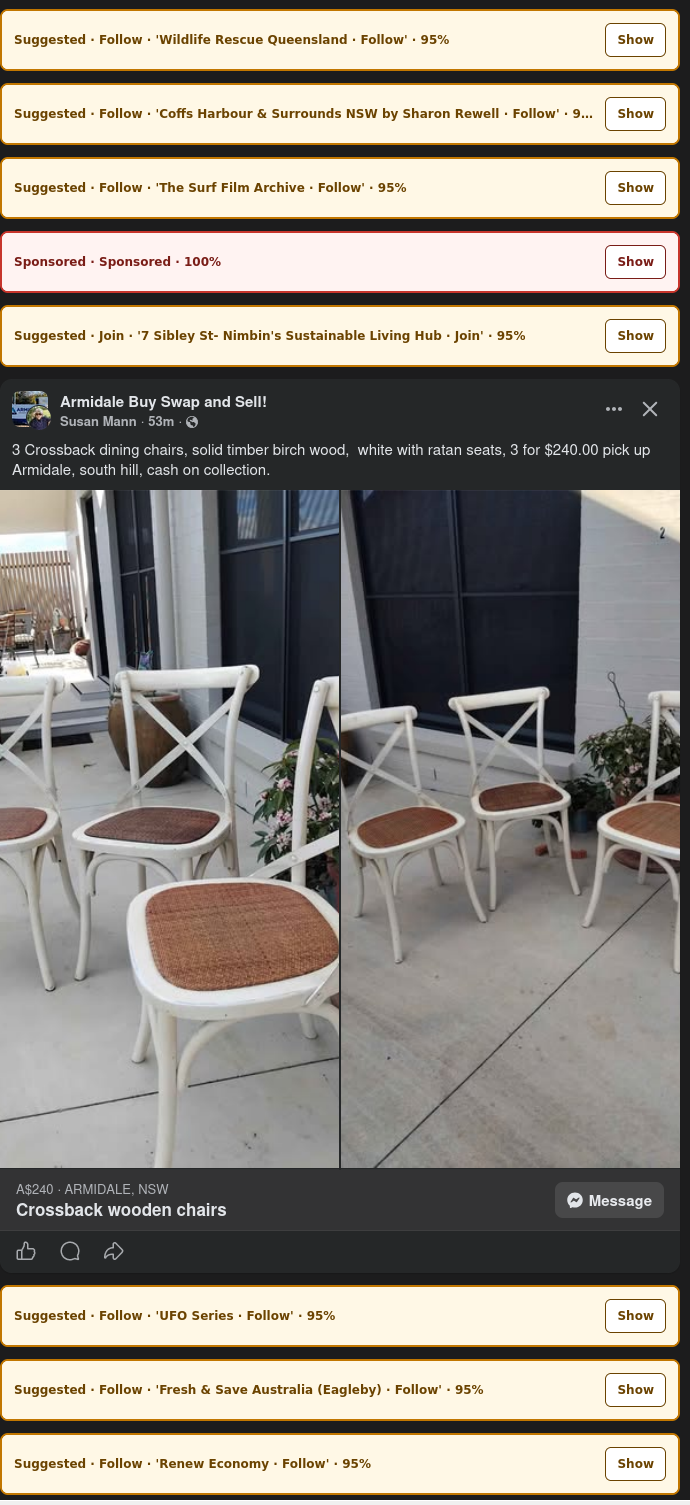
Screen shots of UI
Submitting Diagnostics Reports
Please reach out to me in the Comments section, and I’ll give you an email to send the report to. Alternatively msg me on Reddit
16 responses to “FaceBook NewsFeed Filter Beta Testing”
-
Found this on Reddit today after being bombarded with ads on facebook after I clicked on something I was interested in. It works!! Such a relief not to be forced to watch all the ads. Thanks!!
-
Any change log?
-
0.1.0.17 - 2026-10-03

Detect the "Ads" carousel on Marketplace item pages from its heading and adjacent ad cards. Mark only that section, so the listing details remain visible. The Sponsored toggle controls it in hide and collapse modes; debug mode outlines it. Diagnostics now report marketplaceAds and marketplaceAdsModules to confirm detection on a live page.

Make the existing right-sidebar Sponsored section honor the Sponsored toggle when hide or collapse mode is selected.
0.1.0.16 - 2026-08-20
Reverted the 0.1.0.15 embedded-post CTA guard (ctaButtonBelongsToEmbeddedPost). Reported symptom: in collapse mode, clicking "Show" on a collapsed Sponsored post made it disappear (height collapsed to 0) instead of expanding - Suggested posts were unaffected. Reported on Vivaldi; investigated live via Claude in Chrome against the developer's own Chrome/Facebook session once that access was set up. ctaButtonEmbeddedPostProtections reading 0 in every diagnostics export ruled out the guard as the direct cause of the reveal symptom itself, but live DOM testing against a real, ordinary post ("Everything Garage Doors and Sheds") found the guard firing (true) on a completely different, already-handled shape it was never designed for: a Page post shown inside a Group, where Facebook stamps a profile_name on the group-name breadcrumb and on the actual author - two profile_name elements with no reshare involved at all. That's exactly what the existing hasGroupOrigin guard (0.1.0.12) already catches; the new guard couldn't distinguish the two shapes and suppressed a real ad's CTA match, which - given a story with prior classification state - can strip data-fffc-revealed via clearMatch() on a subsequent reclassification, matching the reported symptom's shape even though the exact trigger differs from Rob's original session (his ctaButtonEmbeddedPostProtections also read 0, meaning whatever tripped the guard for him took a different path than this one). The reshare false positive 0.1.0.15 fixed (Suzanne Dousset resharing a "True Crime Society" Page post) is real but narrower than the false positives the guard introduced, so it's reverted rather than patched again without a live capture of the specific failure to fix it against. CTA-button detection is back to exactly its 0.1.0.14 shape: ctaButtonAdSignal + hasGroupOrigin only.-
Thank You. Why isn’t there any open-source code on GitHub?
-
because I’ve kept it local
-
-
-
-
Working.
Thank you!
-
How do we get to those feed filter options? I’m not seeing them under either Manage Extensions or Facebook itself.
-
Click the icon on the toolbar. You’ll see it then. If you can’t see the icon on the toolbar, enable it. Easiest way is to click the extension detail and enable ‘Pin to Toolbar”
-
-
Going to try installing this but have a question about whether I should first disable FBP (which is still partly functional for some features) before using your version? Will there be any conflict? When FB serves a page which extension would get first crack at rewriting it?
Thanks, Steve
-
Some leave FBP enabled. Doesn’t appear to cause issues
-
On MacOS Chrome Version 153.0.8010.53 (Official Build) (arm64):
After exiting FB, clearing the Chrome cache, enabling the extension and then reloading FB, sometimes the page hangs (I timed it for several minutes before quitting) with only the “Sponsored – Sponsored 100%” message box displayed. Issue is intermittent but seems to be worst when using the URL https://www.facebook.com/?h_nor#topstories. Display Mode set to Hide or Collapse still results in the “Sponsored” message box appearing in results. Page will spontaneously re-load and then sometimes hang with only the “Sponsored” message box appearing in results.
Does not usually appear using the URL https://www.facebook.com/?filter=friends&sk=h_chr (or similar URLs using filter=favorite, filter=groups or filter=pages) UNTIL Display Mode is changed from Hide to Collapse – when that happens, the hang/reload behavior described above is reproduced. Switching back to HIDE requires multiple page reloads before the message boxes disappear.
Behavior seems to be the same regardless of whether FBP is enabled or not.
-
sorry, appears your comment was truncated
-
-
-
-
Hope that the version for Opera also will be available! Thanks…
-
Did FBP work with Opera. I don’t use it, so no idea.
-
-
I just installed the mac version for chrome. I can send you diagnostics.
-
Hi, try the new version fb-feed-filter-0.1.0.12.zip. Users report as now working with Mac Chrome & Firefox
-
Leave a Reply